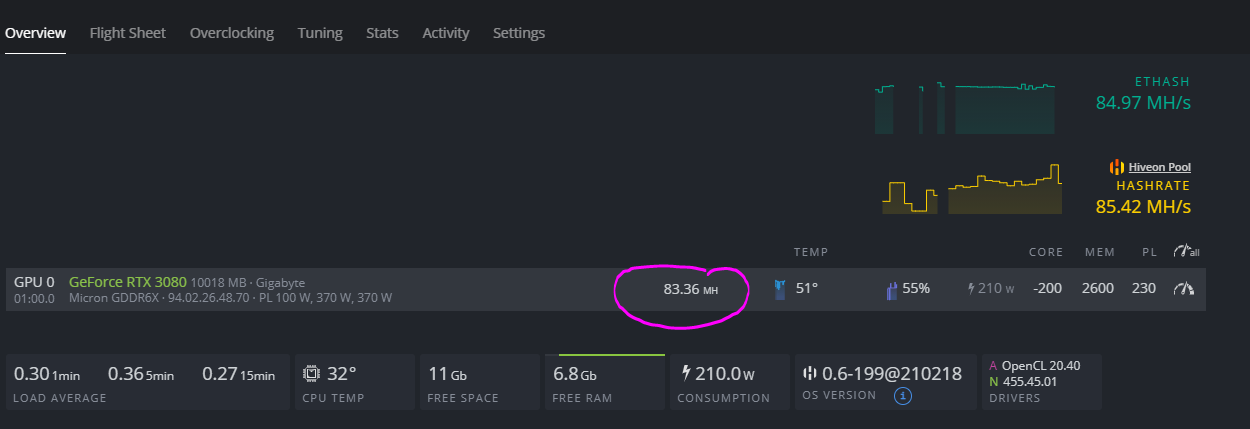
Good news and bad news. It is thermal throttling due to uber hot gddr6 mem that Gigabutt did not account for with quality thermal pads. You’ll have to replace the thermal pads on the front and add some between pcb and backplate. The good news is it can be fixed. I’ll be posting a step by step video in a week. Until then, the link below will help in your next steps.
I bet is a cooling issue 83 Mhs not bad. the max is aroun 90 right?
i ordered some cooling pads they arrive tomorrow for my 3090 that i am currently getting 112… hope to get to 120 Mhs once i mod them… make sure they are well ventilated.
I have read in other posts that you DO NOT need to replace thermal pads. It is a question of the BIOS of the card. You would need to try to flash it at your own risk!.
Thanks for the info, I’ll check it out! I can say from 100% experience using multiple Gigabyte 3080s, the Gigabytes will definitely thermal throttle due to memory heat and very poor stock thermal pads. We are talking a nearly 10 M/hs difference once replaced. I can’t speak to any other brand so I think it is worth a look. Changing the Bios doesn’t prevent the memory from overheating, in fact, it just disables throttling as I understand it. It is a major long term gamble, but worth testing!